
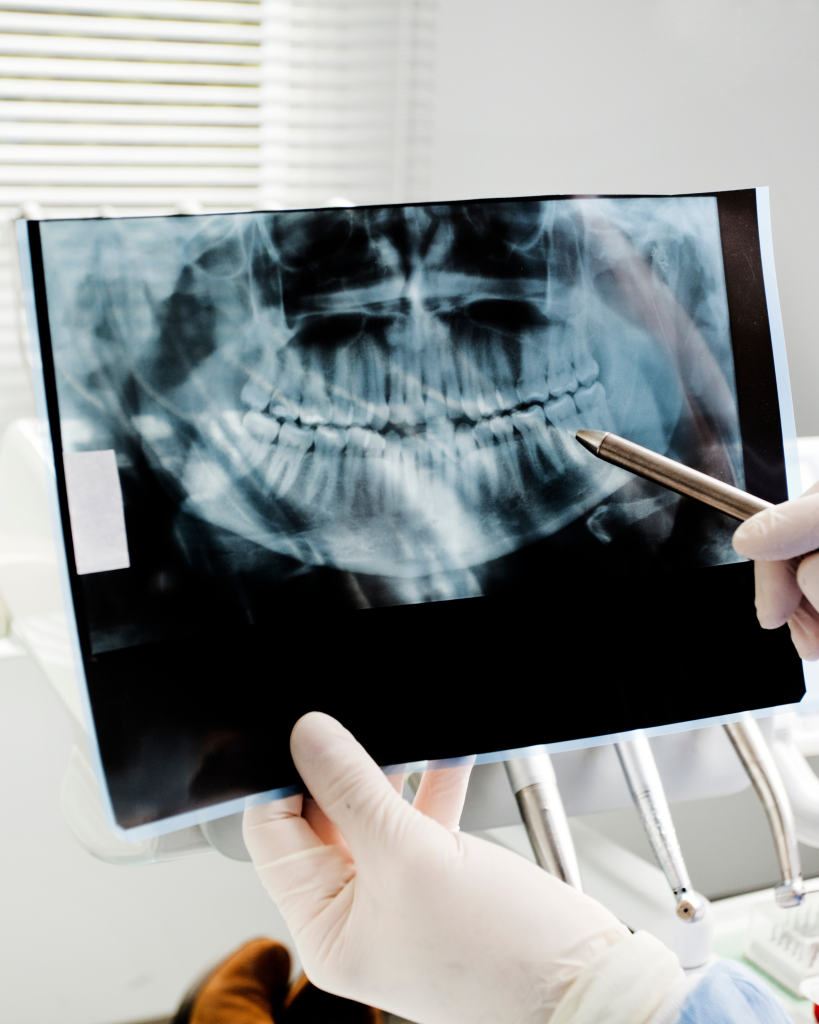
Dolphin Imaging Version 13
Presents a comprehensive set of enhancements, new features and bug fixes focused on improving clinical workflows, imaging analysis, user experience and system stability
New and Improved Imaging Features
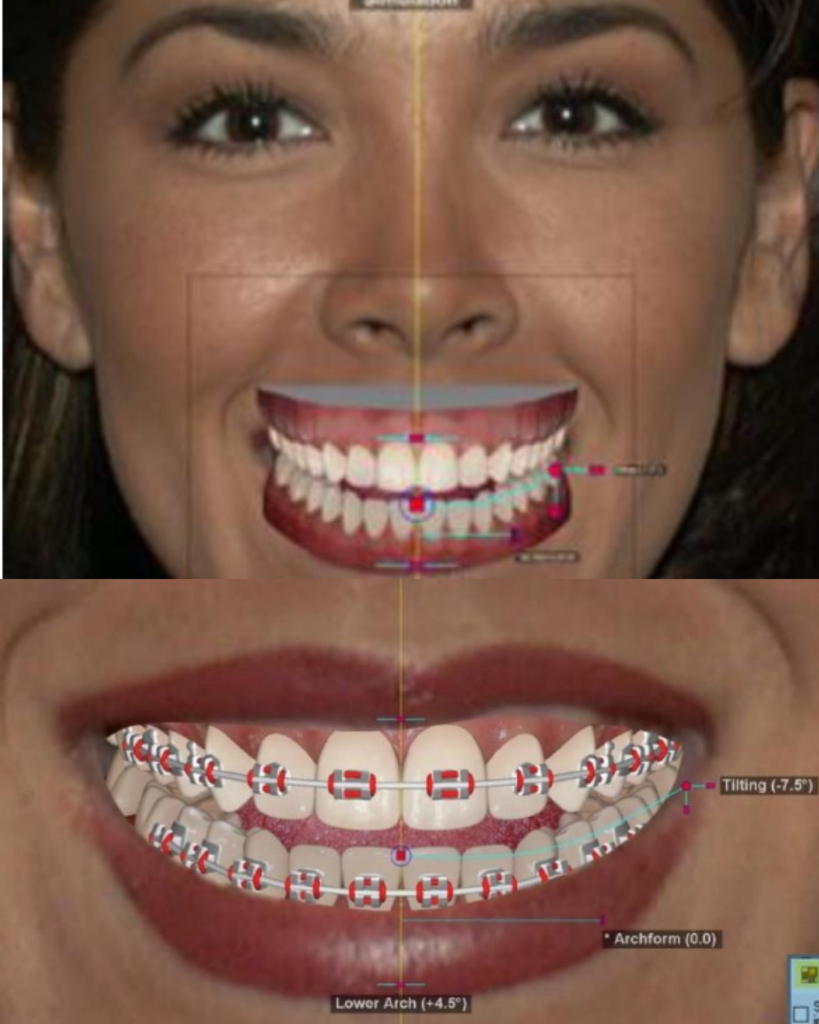
- A new 3D Smile Editor replaces manual polygon drawing with intuitive tools and pre-designed templates, allowing users to simulate smiles with customizable tooth shapes, positioning, colours and braces and compare original vs. simulated images side-by-side.
- Introduction of a Recycle Bin for Images provides a safety net by temporarily storing deleted images for easy recovery via Patient Lookup.
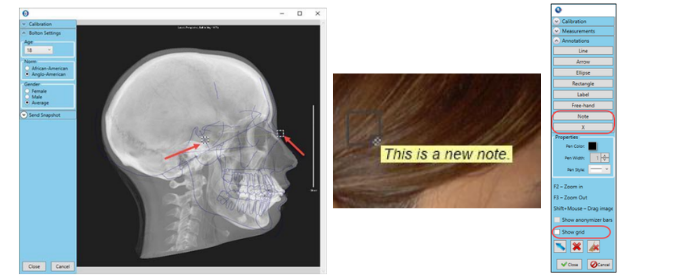
- Integration of Bolton Cephalometric Templates into the 2D Superimposition menu, enabling visual assessment of deviations from cephalometric norms without digitizing, with auto-calibration and age-based norm selection.
- Enhanced Measurements and Annotations tools include options to add text notes, mark points, and display grid overlays for better image analysis and documentation.
- Expanded Custom Analysis Editor supports creation of custom lines perpendicular to other lines, adds support for 2D Frontal and Arch views, and renames “2D” label to “2D Lateral” for clarity.
Capture, Scan and Editing Enhancements
- One-Click Capture workflow now supports HEIC format for efficient image storage and provides rotation feedback during capture.
- Duplicate image detection prompts prevent accidental overwrites and improve data integrity.
- Image editing screens (Edit, Morph, Library) now support zooming via mouse scroll wheel for enhanced navigation.
- Ability to Recover X-rays After a Crash preserves images if the application closes unexpectedly during capture.
- The New Timepoint Window is resizable and remembers user settings for better usability.
- A Screen Resolution Warning alerts users if their display resolution is below the minimum effective threshold of 1280 x 1024.
Integration and Reporting Improvements
- Email integration between Dolphin Imaging and Dolphin Management allows users to send emails directly from Imaging, with automatic logging of correspondence in the patient’s email history.
- Email integration between Dolphin Imaging and Dolphin Management allows users to send emails directly from Imaging, with automatic logging of correspondence in the patient’s email history.
- The Cephalometric Tracing & Treatment Simulation print preview now uses the improved Layout Editor for a consistent and modern interface.
- The 3D Rendering Engine has been upgraded with full-resolution translucent rendering and shading support, enhancing visual realism and diagnostic clarity.
- Introduction of an Advanced 3D Survey Algorithm offers clinicians a choice between legacy and new algorithms for improved precision in surgical tasks such as osteotomy cutting, engraving, and splint creation.
- New tools streamline 3D Reporting, including direct access to the 3D Report Editor and integration of questionnaire data as report labels.
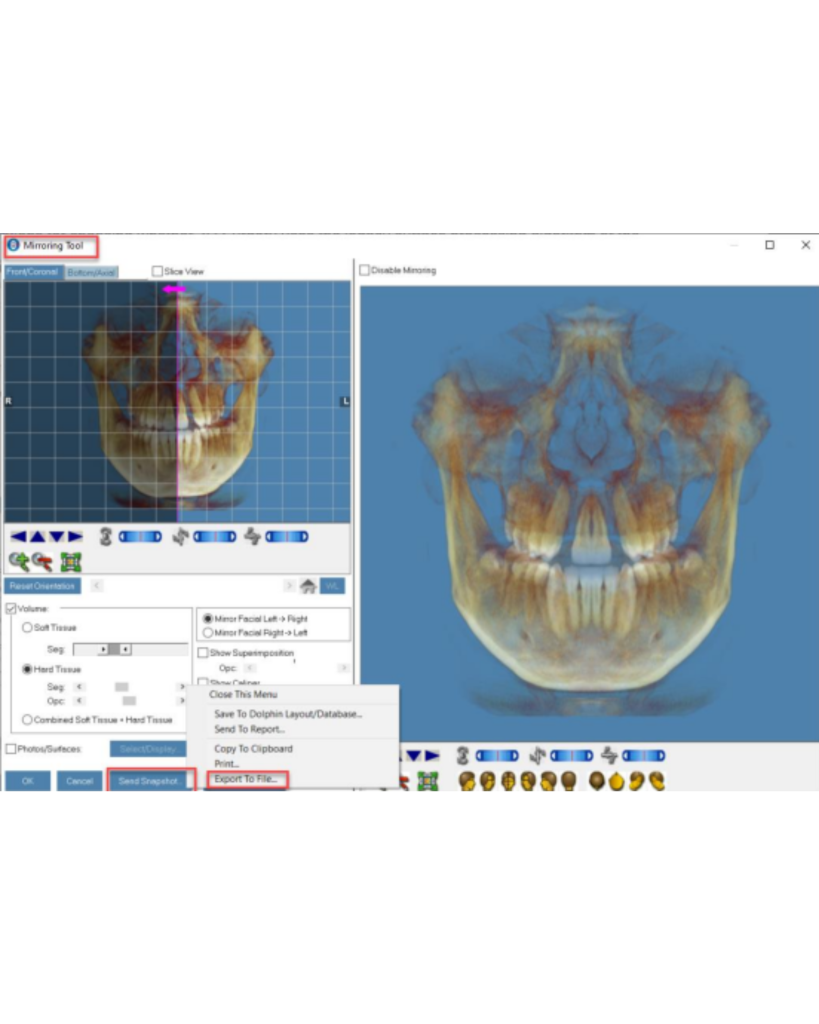
- The 3D Mirroring Tool now supports exporting mirrored anatomical models in STL, OBJ, and PLY formats, facilitating collaboration and surgical planning.
Security and Customization Features
- Installation path standardized to C:\Program Files\Dolphin Imaging, with user documentation stored in a dedicated Documentation subfolder to improve security and file management.
- New Permission-Based Security allows authorized users to create and manage custom timepoint names.
- Users can customize timepoint tab labels and efficiently manage timepoints with a new Cut Button to move timepoints between patients, simplifying corrections.